7.6 sec in total
1.1 sec
5.4 sec
1.1 sec
Welcome to docscannerapp.com homepage info - get ready to check Docscannerapp best content for India right away, or after learning these important things about docscannerapp.com
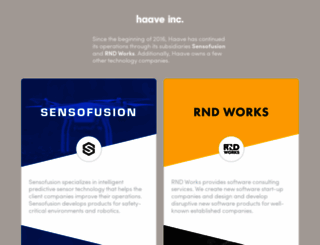
Haave, Inc. website
Visit docscannerapp.comWe analyzed Docscannerapp.com page load time and found that the first response time was 1.1 sec and then it took 6.5 sec to load all DOM resources and completely render a web page. This is a poor result, as 80% of websites can load faster.
docscannerapp.com performance score
name
value
score
weighting
Value4.5 s
14/100
10%
Value8.3 s
2/100
25%
Value4.8 s
67/100
10%
Value120 ms
97/100
30%
Value0.003
100/100
15%
Value6.3 s
61/100
10%
1057 ms
232 ms
346 ms
458 ms
639 ms
Our browser made a total of 66 requests to load all elements on the main page. We found that 88% of them (58 requests) were addressed to the original Docscannerapp.com, 3% (2 requests) were made to Assets0.zendesk.com and 3% (2 requests) were made to Ad.linksynergy.com. The less responsive or slowest element that took the longest time to load (2.2 sec) belongs to the original domain Docscannerapp.com.
Page size can be reduced by 442.9 kB (29%)
1.5 MB
1.1 MB
In fact, the total size of Docscannerapp.com main page is 1.5 MB. This result falls beyond the top 1M of websites and identifies a large and not optimized web page that may take ages to load. 35% of websites need less resources to load. Images take 1.0 MB which makes up the majority of the site volume.
Potential reduce by 45.2 kB
HTML content can be minified and compressed by a website’s server. The most efficient way is to compress content using GZIP which reduces data amount travelling through the network between server and browser. HTML code on this page is well minified. It is highly recommended that content of this web page should be compressed using GZIP, as it can save up to 45.2 kB or 79% of the original size.
Potential reduce by 114.9 kB
Image size optimization can help to speed up a website loading time. The chart above shows the difference between the size before and after optimization. Obviously, Docscannerapp needs image optimization as it can save up to 114.9 kB or 11% of the original volume. The most popular and efficient tools for JPEG and PNG image optimization are Jpegoptim and PNG Crush.
Potential reduce by 243.5 kB
It’s better to minify JavaScript in order to improve website performance. The diagram shows the current total size of all JavaScript files against the prospective JavaScript size after its minification and compression. It is highly recommended that all JavaScript files should be compressed and minified as it can save up to 243.5 kB or 69% of the original size.
Potential reduce by 39.3 kB
CSS files minification is very important to reduce a web page rendering time. The faster CSS files can load, the earlier a page can be rendered. Docscannerapp.com needs all CSS files to be minified and compressed as it can save up to 39.3 kB or 77% of the original size.
Number of requests can be reduced by 46 (72%)
64
18
The browser has sent 64 CSS, Javascripts, AJAX and image requests in order to completely render the main page of Docscannerapp. We recommend that multiple CSS and JavaScript files should be merged into one by each type, as it can help reduce assets requests from 15 to 1 for JavaScripts and from 11 to 1 for CSS and as a result speed up the page load time.
www.docscannerapp.com
1057 ms
style.css
232 ms
cufon-yui.js
346 ms
Carto.font.js
458 ms
www.docscannerapp.com
639 ms
Black_Minimalism.css
241 ms
shutter-reloaded.css
452 ms
pro.css
457 ms
dropdown.css
470 ms
jquery.min.js
9 ms
jquery.form.js
572 ms
mailchimp.js
689 ms
shutter-reloaded.js
690 ms
jquery.cycle.all.min.js
812 ms
ngg.slideshow.min.js
696 ms
style.css
804 ms
cufon-yui.js
976 ms
tw-sack.js
818 ms
overlay.css
13 ms
overlay.js
15 ms
script.js
707 ms
dropdown.js
704 ms
jquery-ui.custom.js
1442 ms
reset.css
819 ms
wp_core.css
931 ms
theme.css
1056 ms
custom.css
1384 ms
show
59 ms
back-gradient.jpg
131 ms
sheen.png
132 ms
rss.png
233 ms
facebook.png
231 ms
twitter.png
230 ms
nav-bg.png
231 ms
navdivider.png
348 ms
wp-ds-icon25x25grey.png
351 ms
bg_dropdown.png
458 ms
search-leftcap-trans.png
468 ms
search-bar-trans.png
468 ms
search-rightcap-trans.png
469 ms
post-bg.png
583 ms
upload-me3-180x300.png
704 ms
hl-dot.gif
695 ms
box-bgr2.gif
691 ms
comment_count_bg.png
694 ms
shot-300x168.png
821 ms
DocScanner_pic1.png
1174 ms
DocScanner_pic2.png
1147 ms
DocScanner_pic3.png
1262 ms
Screen-Shot-2013-02-06-at-11.50.07-AM.png
1170 ms
iStock_000012887417Small.jpg
1275 ms
get_it_on_google_play.png
1058 ms
piikki2.0_store_icon_600x600.png
1771 ms
Piikki_kuvasarja1-1024x454.png
2198 ms
nav-sprite-default.png
1399 ms
navigation-left.gif
1401 ms
post-bg-short.png
1491 ms
get-DS-mac2.png
1508 ms
android_googleplay_101x33.png
1627 ms
Small-as-featured-in-v1.jpg
1741 ms
morefootbg.gif
1726 ms
form-field-bg.gif
1735 ms
show
40 ms
ga.js
7 ms
tab_support.png
56 ms
__utm.gif
11 ms
docscannerapp.com accessibility score
Contrast
These are opportunities to improve the legibility of your content.
Impact
Issue
Background and foreground colors do not have a sufficient contrast ratio.
Names and labels
These are opportunities to improve the semantics of the controls in your application. This may enhance the experience for users of assistive technology, like a screen reader.
Impact
Issue
Image elements do not have [alt] attributes
Links do not have a discernible name
docscannerapp.com best practices score
Trust and Safety
Impact
Issue
Does not use HTTPS
Includes front-end JavaScript libraries with known security vulnerabilities
Ensure CSP is effective against XSS attacks
User Experience
Impact
Issue
Displays images with incorrect aspect ratio
General
Impact
Issue
Detected JavaScript libraries
docscannerapp.com SEO score
Content Best Practices
Format your HTML in a way that enables crawlers to better understand your app’s content.
Impact
Issue
Image elements do not have [alt] attributes
Mobile Friendly
Make sure your pages are mobile friendly so users don’t have to pinch or zoom in order to read the content pages. [Learn more](https://developers.google.com/search/mobile-sites/).
Impact
Issue
Document uses legible font sizes
![]()
EN
![]()
EN
UTF-8
Language claimed in HTML meta tag should match the language actually used on the web page. Otherwise Docscannerapp.com can be misinterpreted by Google and other search engines. Our service has detected that English is used on the page, and it matches the claimed language. Our system also found out that Docscannerapp.com main page’s claimed encoding is utf-8. Use of this encoding format is the best practice as the main page visitors from all over the world won’t have any issues with symbol transcription.
docscannerapp.com
Open Graph description is not detected on the main page of Docscannerapp. Lack of Open Graph description can be counter-productive for their social media presence, as such a description allows converting a website homepage (or other pages) into good-looking, rich and well-structured posts, when it is being shared on Facebook and other social media. For example, adding the following code snippet into HTML <head> tag will help to represent this web page correctly in social networks: