2 sec in total
114 ms
1.1 sec
715 ms
Click here to check amazing Realityengines content. Otherwise, check out these important facts you probably never knew about realityengines.ai
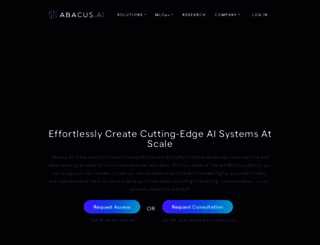
Abacus.AI is the AI Brain for your organization. Your very own AI Engineer will build applied AI systems across a wide variety of use cases including custom chatbots, ai agents, forecasting, personali...
Visit realityengines.aiWe analyzed Realityengines.ai page load time and found that the first response time was 114 ms and then it took 1.9 sec to load all DOM resources and completely render a web page. This is quite a good result, as only 40% of websites can load faster.
realityengines.ai performance score
name
value
score
weighting
Value9.9 s
0/100
10%
Value13.1 s
0/100
25%
Value9.9 s
9/100
10%
Value400 ms
68/100
30%
Value0.032
100/100
15%
Value13.7 s
10/100
10%
114 ms
52 ms
251 ms
566 ms
548 ms
Our browser made a total of 128 requests to load all elements on the main page. We found that 84% of them (107 requests) were addressed to the original Realityengines.ai, 5% (7 requests) were made to Fonts.googleapis.com and 2% (3 requests) were made to Fonts.gstatic.com. The less responsive or slowest element that took the longest time to load (566 ms) relates to the external source Googletagmanager.com.
Page size can be reduced by 1.2 MB (59%)
2.1 MB
864.3 kB
In fact, the total size of Realityengines.ai main page is 2.1 MB. This result falls beyond the top 1M of websites and identifies a large and not optimized web page that may take ages to load. Only a small number of websites need less resources to load. Javascripts take 1.5 MB which makes up the majority of the site volume.
Potential reduce by 125.5 kB
HTML content can be minified and compressed by a website’s server. The most efficient way is to compress content using GZIP which reduces data amount travelling through the network between server and browser. This page needs HTML code to be minified as it can gain 25.3 kB, which is 18% of the original size. It is highly recommended that content of this web page should be compressed using GZIP, as it can save up to 125.5 kB or 90% of the original size.
Potential reduce by 102.4 kB
Image size optimization can help to speed up a website loading time. The chart above shows the difference between the size before and after optimization. Obviously, Realityengines needs image optimization as it can save up to 102.4 kB or 46% of the original volume. The most popular and efficient tools for JPEG and PNG image optimization are Jpegoptim and PNG Crush.
Potential reduce by 928.7 kB
It’s better to minify JavaScript in order to improve website performance. The diagram shows the current total size of all JavaScript files against the prospective JavaScript size after its minification and compression. It is highly recommended that all JavaScript files should be compressed and minified as it can save up to 928.7 kB or 62% of the original size.
Potential reduce by 79.3 kB
CSS files minification is very important to reduce a web page rendering time. The faster CSS files can load, the earlier a page can be rendered. Realityengines.ai needs all CSS files to be minified and compressed as it can save up to 79.3 kB or 32% of the original size.
Number of requests can be reduced by 44 (37%)
120
76
The browser has sent 120 CSS, Javascripts, AJAX and image requests in order to completely render the main page of Realityengines. We recommend that multiple CSS and JavaScript files should be merged into one by each type, as it can help reduce assets requests from 25 to 1 for JavaScripts and from 15 to 1 for CSS and as a result speed up the page load time.
realityengines.ai
114 ms
realityengines.ai
52 ms
gtm.js
251 ms
js
566 ms
62ff9bdbe2e537008ecab918
548 ms
uwt.js
53 ms
bundle.min.js
48 ms
css
68 ms
css
82 ms
css
102 ms
css2
112 ms
css2
111 ms
css2
111 ms
jquery-3.7.1.min.js
39 ms
anime.3.2.2.min.js
37 ms
lodash.4.17.21.min.js
37 ms
store.everything.min.js
41 ms
js.storage.min.js
37 ms
velocity.min.js
41 ms
moment.2.30.1.min.js
59 ms
tilt.jquery.js
42 ms
popper.2.11.8.min.js
49 ms
jquery.appear.js
49 ms
rangeslider.css
49 ms
rangeslider.js
58 ms
bootstrap.5.2.3.css
59 ms
bootstrap.5.2.3.bsmodal.min.js
59 ms
semantic.2.5.0.css
69 ms
semantic.2.5.0.min.js
60 ms
uikit.3.15.22.min.css
76 ms
uikit.3.15.22.min.js
76 ms
uikit-icons.3.15.22.min.js
77 ms
general.css
68 ms
general2.css
63 ms
common.css
76 ms
newchanges.css
90 ms
macros.js
95 ms
general.js
89 ms
common.js
88 ms
api.js
65 ms
adsct
469 ms
adsct
559 ms
adsct
556 ms
adsct
466 ms
css
78 ms
logo_text80.webp
229 ms
chatllm.png
216 ms
access_sota.png
147 ms
artifacts.png
144 ms
multimodal.png
146 ms
abacus_enterprise_top.png
213 ms
hp_ai_agents_s.webp
214 ms
hp_anomalydetection_s.webp
220 ms
hp_vision_s.webp
213 ms
hp_predicting_s.webp
215 ms
hp_forecast_s.webp
220 ms
hp_nlp_s.webp
220 ms
hp_discrete_optimization_s.webp
217 ms
hp_user_eng_s.webp
220 ms
llm-api.png
217 ms
line-chart-small.png
278 ms
cloud-small.png
277 ms
shop-small.png
275 ms
iconTeams1.webp
276 ms
iconEnterprise1.webp
275 ms
animRight9.gif
279 ms
hp_chat_llm-ent.webp
282 ms
hp_ai_agents.webp
282 ms
hp_forecast.webp
281 ms
hp_anomalydetection.webp
283 ms
hp_vision.webp
282 ms
hp_discrete_optimization.webp
284 ms
hp_predicting.webp
396 ms
hp_user_eng.webp
396 ms
useCase_ChatLlm_4.webp
397 ms
useCase_ChatLlm_5.webp
394 ms
useCase_ChatLlm_6.webp
394 ms
useCase_AiAgents_1.webp
393 ms
useCase_AiAgents_2.webp
402 ms
useCase_AiAgents_3.webp
401 ms
usecase_69d038e82.webp
403 ms
font
98 ms
font
152 ms
font
160 ms
Matter-Regular.otf
259 ms
Matter-Light.otf
257 ms
Matter-Medium.otf
255 ms
Matter-SemiBold.otf
196 ms
MatterSQ-Bold.otf
194 ms
usecase_9455a9149.webp
196 ms
useCase_financial_metrics.webp
195 ms
usecase_anomalyTimeSeries.webp
198 ms
usecase_eventStream.webp
196 ms
usecase_vision_clasification.webp
193 ms
usecase_vision_hybrid.webp
194 ms
usecase_vision_segmentation.webp
195 ms
useCase_UserRecommendations2.webp
195 ms
useCase_UserRelated2.webp
193 ms
recaptcha__en.js
175 ms
useCase_UserRankings.webp
139 ms
useCase_feedRecommend.webp
139 ms
aibrain1Center4.webp
139 ms
backBrain2.webp
144 ms
brain9.webp
144 ms
animBrain1.gif
148 ms
capabilitiesHome2.webp
142 ms
screenAppArrowsLeft3.webp
139 ms
screenAppArrowsRight3.webp
140 ms
featureNewLarge3.webp
142 ms
eweekbadge.webp
141 ms
cbinsightbadge.webp
138 ms
gatbadge.webp
108 ms
forbes-badge.webp
101 ms
twitter1.png
107 ms
linkedin.png
101 ms
arrowLeftRA.webp
101 ms
hp_chat_llm-ent_s.webp
105 ms
hp_marketing_s.webp
104 ms
hp_foundation_models_s.webp
103 ms
hp_fraud_s.webp
102 ms
hp_forecast_s.webp
101 ms
hp_anomalydetection_s.webp
105 ms
hp_nlp_s.webp
102 ms
hp_discrete_optimization_s.webp
101 ms
hp_user_eng_s.webp
100 ms
hp_ai_agents_s.webp
99 ms
hp_vision_s.webp
98 ms
hp_predicting_s.webp
99 ms
realityengines.ai accessibility score
Internationalization and localization
These are opportunities to improve the interpretation of your content by users in different locales.
Impact
Issue
<html> element does not have a [lang] attribute
Names and labels
These are opportunities to improve the semantics of the controls in your application. This may enhance the experience for users of assistive technology, like a screen reader.
Impact
Issue
Image elements do not have [alt] attributes
Links do not have a discernible name
Best practices
These items highlight common accessibility best practices.
Impact
Issue
[user-scalable="no"] is used in the <meta name="viewport"> element or the [maximum-scale] attribute is less than 5.
realityengines.ai best practices score
Trust and Safety
Impact
Issue
Does not use HTTPS
Ensure CSP is effective against XSS attacks
User Experience
Impact
Issue
Serves images with low resolution
General
Impact
Issue
Detected JavaScript libraries
Page has valid source maps
realityengines.ai SEO score
Content Best Practices
Format your HTML in a way that enables crawlers to better understand your app’s content.
Impact
Issue
Image elements do not have [alt] attributes
Mobile Friendly
Make sure your pages are mobile friendly so users don’t have to pinch or zoom in order to read the content pages. [Learn more](https://developers.google.com/search/mobile-sites/).
Impact
Issue
Document uses legible font sizes
![]()
EN
![]()
N/A
UTF-8
Language claimed in HTML meta tag should match the language actually used on the web page. Otherwise Realityengines.ai can be misinterpreted by Google and other search engines. Our service has detected that English is used on the page, and neither this language nor any other was claimed in <html> or <meta> tags. Our system also found out that Realityengines.ai main page’s claimed encoding is utf-8. Use of this encoding format is the best practice as the main page visitors from all over the world won’t have any issues with symbol transcription.
realityengines.ai
Open Graph data is detected on the main page of Realityengines. This is the best way to make the web page social media friendly. Here is how it looks like on Facebook: