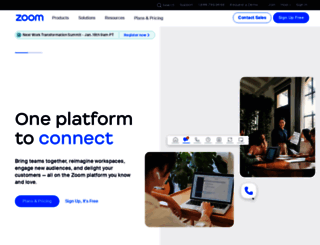
1.4 sec in total
44 ms
739 ms
584 ms
Welcome to brainware.zoom.us homepage info - get ready to check Brainware Zoom best content for United States right away, or after learning these important things about brainware.zoom.us
Modernize workflows with Zoom's trusted collaboration tools: including video meetings, team chat, VoIP phone, webinars, whiteboard, contact center, and events.
Visit brainware.zoom.usWe analyzed Brainware.zoom.us page load time and found that the first response time was 44 ms and then it took 1.3 sec to load all DOM resources and completely render a web page. This is quite a good result, as only 30% of websites can load faster.
brainware.zoom.us performance score
name
value
score
weighting
Value7.3 s
1/100
10%
Value12.8 s
0/100
25%
Value10.3 s
8/100
10%
Value7,890 ms
0/100
30%
Value0.159
73/100
15%
Value35.2 s
0/100
10%
44 ms
107 ms
92 ms
67 ms
68 ms
Our browser made a total of 99 requests to load all elements on the main page. We found that 3% of them (3 requests) were addressed to the original Brainware.zoom.us, 42% (42 requests) were made to File-paa.zoom.us and 18% (18 requests) were made to Us04st3.zoom.us. The less responsive or slowest element that took the longest time to load (347 ms) relates to the external source Us04st2.zoom.us.
Page size can be reduced by 500.2 kB (14%)
3.6 MB
3.1 MB
In fact, the total size of Brainware.zoom.us main page is 3.6 MB. This result falls beyond the top 1M of websites and identifies a large and not optimized web page that may take ages to load. 75% of websites need less resources to load and that’s why Accessify’s recommendations for optimization and resource minification can be helpful for this project. Images take 2.5 MB which makes up the majority of the site volume.
Potential reduce by 446.9 kB
HTML content can be minified and compressed by a website’s server. The most efficient way is to compress content using GZIP which reduces data amount travelling through the network between server and browser. HTML code on this page is well minified. It is highly recommended that content of this web page should be compressed using GZIP, as it can save up to 446.9 kB or 79% of the original size.
Potential reduce by 52.9 kB
Image size optimization can help to speed up a website loading time. The chart above shows the difference between the size before and after optimization. Brainware Zoom images are well optimized though.
Potential reduce by 263 B
It’s better to minify JavaScript in order to improve website performance. The diagram shows the current total size of all JavaScript files against the prospective JavaScript size after its minification and compression. This website has mostly compressed JavaScripts.
Potential reduce by 101 B
CSS files minification is very important to reduce a web page rendering time. The faster CSS files can load, the earlier a page can be rendered. Brainware.zoom.us has all CSS files already compressed.
Number of requests can be reduced by 32 (36%)
89
57
The browser has sent 89 CSS, Javascripts, AJAX and image requests in order to completely render the main page of Brainware Zoom. We recommend that multiple CSS and JavaScript files should be merged into one by each type, as it can help reduce assets requests from 17 to 1 for JavaScripts and from 11 to 1 for CSS and as a result speed up the page load time.
brainware.zoom.us
44 ms
brainware.zoom.us
107 ms
shopping_bag.min.css
92 ms
shopping_bag.min.js
67 ms
helper.min.js
68 ms
optimizely.js
102 ms
internacional.min.css
64 ms
suisse.min.css
66 ms
all.min.css
124 ms
zoom-components.min.css
77 ms
swiper-bundle-8.3.2.min.css
72 ms
home-v2.min.css
84 ms
monitor.min.js
95 ms
csrf_js
28 ms
notification.min.css
77 ms
popup-captcha.min.css
81 ms
otSDKStub.js
82 ms
top_nav.min.css
64 ms
vue.min.js
84 ms
zoom-components.min.js
116 ms
popup-captcha.min.js
72 ms
all.min.js
84 ms
jquery.validate.message.min.js
76 ms
top_nav.min.js
70 ms
swiper-bundle-8.3.2.min.js
347 ms
gsap.min.js
80 ms
home_v2.min.js
76 ms
chat-client.js
75 ms
meeting_delete_dialog.min.css
77 ms
notification.min.js
89 ms
icon-arrow-down.svg
181 ms
ec004ec4-3972-4bf4-a9eb-e2176655b640.jpg
220 ms
e00fce0b-f5a6-4489-b7c7-7af464ba0e41.png
211 ms
b9e27fb6-7547-4829-ab06-aad2fc2a9ea7.png
220 ms
49fc160e-e160-4e79-91a3-898a8cfcfe63.jpg
222 ms
4e8356b2-affd-4324-94fb-4846235f87d1.png
221 ms
d12e0cf0-f6dd-46fa-b96f-6d76d42b310e.jpg
222 ms
ac8d9652-0898-4f30-b50d-07df94202de4.png
216 ms
20d252fc-0237-47b8-a0d4-bb83a937c8b1.jpg
219 ms
8a18ac3b-a93f-4cc8-a2a1-01cd8479b7f2.png
223 ms
46a219d4-2065-401d-a15f-9684794312cb.jpg
260 ms
518e43fb-901f-4660-82ff-be4e050afdcf.png
225 ms
f93366a5-9d26-4384-9928-edd8bfbfa220.jpg
260 ms
203108e9-3ba3-4956-b6b9-c22f96a593e1.png
259 ms
17926e4a-329a-4a0e-9ffd-fb28e886231b.png
224 ms
21f2f230-adba-4a90-a8f2-75a201d7d3de.png
261 ms
34912812-2672-4a6a-a539-514d833cf7cc.png
261 ms
26d1582c-d830-4100-96b3-cbca2714d55e.png
262 ms
1b04b70d-e825-4a66-907f-cb5ac99c0ab3.png
262 ms
593c24f5-b1ea-4845-ab3e-5df7e83102a6.png
262 ms
3c1984d5-4ae8-429e-ac3c-1d6e1764bfd4.png
263 ms
e5bb1721-1fa9-46f2-9560-08c39fa741e6.png
263 ms
e3ea7630-e9be-4582-888e-ea3f3696d455.png
262 ms
ede003c3-cefe-455f-9430-100b189d353a.png
263 ms
7aee609b-5935-4fb7-aeb0-1da136b2d971.png
263 ms
c5751e30-92bf-4a36-8e86-7b38e25dbde5.png
264 ms
7bbaf0fc-7742-473e-86ca-df5119a24f38.jpg
265 ms
a1860a52-34cd-4c9a-b208-b4c19ee36cd2.jpg
264 ms
9cbae187-6c24-47f0-9243-33a1252e9e2e.jpg
264 ms
78119281-2887-43ea-b386-9749774f689e.png
299 ms
8778b05a-17e5-41c6-a62b-2ff7b99ffd4f.jpg
265 ms
6884cb04-18ce-4c65-a886-f14f363a68e7.jpg
270 ms
dec2da75-f82e-44a4-b1b2-ea4559097bff.jpg
266 ms
dffddc90-3a0c-4055-b7c6-386cfd3b4fa1.jpg
267 ms
1c88e8cf-0d07-41d7-a36c-fb155975d67a.svg
339 ms
4ff7cc20-82e5-4141-8fff-7d824a49949f.svg
274 ms
de9e2c1d-4bfa-46cb-b356-7dac7cb4e1ea.svg
270 ms
1f758550-d5e1-4c2b-8c25-dfc080219ab8.png
276 ms
icon-arrow-down-blue.svg
206 ms
Virtual_Background_New.png
208 ms
icon-arrow-down-grey.svg
167 ms
industry2.jpg
209 ms
industry5.jpg
210 ms
social_icons_footer.png
170 ms
55ac3c9b-57eb-41d1-9463-445fdf92ad19.png
211 ms
logo_ZM_Products.png
177 ms
product_wheel_static.png
209 ms
industry1.jpg
207 ms
industry4.jpg
206 ms
privacyoptions.svg
211 ms
Zoom_logo.svg
218 ms
ai_companion_with_emblem.svg
169 ms
Resources-ZoomClient.png
218 ms
industry3.jpg
207 ms
industry6.jpg
209 ms
HappyDisplay-Regular.woff
93 ms
HappyDisplay-SemiBold.woff
97 ms
HappyDisplay-Bold.woff
97 ms
AlmadenSans-Regular-WebXL.woff
55 ms
AlmadenSans-Book-WebXL.woff
92 ms
AlmadenSans-SemiBold-WebXL.woff
95 ms
icozoom.0e52b29.woff
94 ms
PAJJhLM6sSoWKfWCAAwDAjgbRAAB42mNgYGBkAIIbCZo5IPrmUn0hGA0AO8EFTQAA
25 ms
80a58531-dfc5-403f-ace5-9208070025fc.png
113 ms
bbad48f6-a3ad-4350-86d8-d2e9844763db.png
70 ms
d9a6d353-eb1e-4d65-aa89-faf6eb3346d4.png
70 ms
f7390c5b-bbca-4713-a1ea-4b89bad7ec51.png
74 ms
e008e94b-1b88-437a-8f16-5f2b04b7c374.png
77 ms
51fc8fd9-ceec-4520-81fe-1c5775198b11.png
78 ms
brainware.zoom.us accessibility score
ARIA
These are opportunities to improve the usage of ARIA in your application which may enhance the experience for users of assistive technology, like a screen reader.
Impact
Issue
Elements with an ARIA [role] that require children to contain a specific [role] are missing some or all of those required children.
[role]s are not contained by their required parent element
ARIA IDs are not unique
Contrast
These are opportunities to improve the legibility of your content.
Impact
Issue
Background and foreground colors do not have a sufficient contrast ratio.
Names and labels
These are opportunities to improve the semantics of the controls in your application. This may enhance the experience for users of assistive technology, like a screen reader.
Impact
Issue
Image elements do not have [alt] attributes
Links do not have a discernible name
Tables and lists
These are opportunities to improve the experience of reading tabular or list data using assistive technology, like a screen reader.
Impact
Issue
Lists do not contain only <li> elements and script supporting elements (<script> and <template>).
List items (<li>) are not contained within <ul> or <ol> parent elements.
Navigation
These are opportunities to improve keyboard navigation in your application.
Impact
Issue
Some elements have a [tabindex] value greater than 0
brainware.zoom.us best practices score
Trust and Safety
Impact
Issue
Does not use HTTPS
Ensure CSP is effective against XSS attacks
User Experience
Impact
Issue
Displays images with incorrect aspect ratio
General
Impact
Issue
Detected JavaScript libraries
Browser errors were logged to the console
Missing source maps for large first-party JavaScript
Issues were logged in the Issues panel in Chrome Devtools
brainware.zoom.us SEO score
Content Best Practices
Format your HTML in a way that enables crawlers to better understand your app’s content.
Impact
Issue
Links do not have descriptive text
Image elements do not have [alt] attributes
Crawling and Indexing
To appear in search results, crawlers need access to your app.
Impact
Issue
Links are not crawlable
Page is blocked from indexing
Mobile Friendly
Make sure your pages are mobile friendly so users don’t have to pinch or zoom in order to read the content pages. [Learn more](https://developers.google.com/search/mobile-sites/).
Impact
Issue
Document uses legible font sizes
Tap targets are not sized appropriately
![]()
EN
![]()
EN
UTF-8
Language claimed in HTML meta tag should match the language actually used on the web page. Otherwise Brainware.zoom.us can be misinterpreted by Google and other search engines. Our service has detected that English is used on the page, and it matches the claimed language. Our system also found out that Brainware.zoom.us main page’s claimed encoding is utf-8. Use of this encoding format is the best practice as the main page visitors from all over the world won’t have any issues with symbol transcription.
brainware.zoom.us
Open Graph data is detected on the main page of Brainware Zoom. This is the best way to make the web page social media friendly. Here is how it looks like on Facebook: